
Salesforce API Limits: How to Check Usage and Avoid Errors
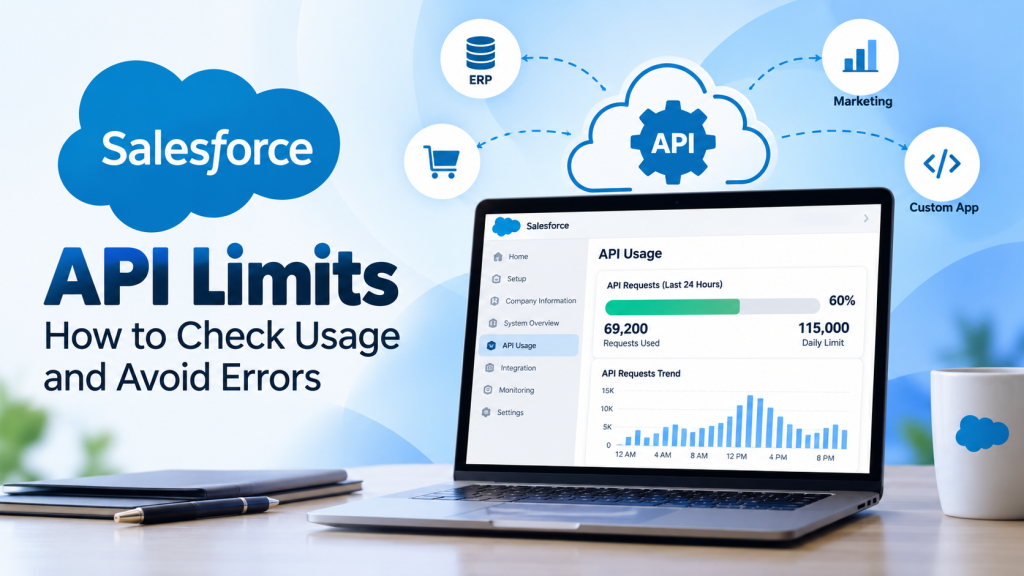
A Salesforce integration can work perfectly for months, then suddenly stop updating customer records. Orders get stuck, dashboards show outdated information, and teams begin looking for problems in the integration code.
Sometimes, the real issue is API consumption.
Salesforce API limits determine how many requests an organization can make to Salesforce within a defined period. These limits help protect platform performance, but they can affect businesses that depend on frequent data synchronization, automated workflows, or multiple connected applications.
Understanding how API allocations work, where to check current usage, and how to reduce unnecessary requests can help you avoid unexpected interruptions.
What Are Salesforce API Limits?
Salesforce uses application programming interfaces (APIs) to exchange information with external applications, including ERP systems, eCommerce platforms, marketing tools, and custom business software.
Every qualifying API request contributes to the organization’s total API usage.
For example, an integration might retrieve customer information, update an opportunity, or synchronize order details between Salesforce and another system. These operations can consume API requests depending on how the integration is designed.
Salesforce measures its daily API request allocation over a rolling 24-hour period.
The allocation generally applies to the entire organization, not separately to each Salesforce user. That means several integrations can consume requests from the same shared allowance.
APIs that contribute to the overall allocation include:
- Salesforce REST API
- Salesforce SOAP API
- Bulk API and Bulk API 2.0
- Most Connect REST API requests
Some APIs also have separate restrictions for concurrent requests, processing time, or specific operations.
Understanding these differences matters because an integration can encounter an API-related restriction even when the organization’s daily allocation has not been exhausted.
Understanding Salesforce API Call Limits by Edition
The Salesforce API call limit depends on the organization’s edition, eligible licenses, and additional API capacity.
For Enterprise Edition, Salesforce documents a base daily allocation of 100,000 requests, plus additional requests determined by eligible license types and purchased API call add-ons.
Consider a hypothetical Enterprise Edition organization with 15 standard Salesforce licenses.
Using Salesforce’s documented allocation of 1,000 additional daily calls per eligible standard license, its entitlement would be:
100,000 base requests + 15,000 license-based requests = 115,000 requests per 24 hours.
This example illustrates how allocations are calculated. The actual allowance can differ according to the organization’s licenses and contractual arrangements.
Another detail that frequently causes confusion is the reset period.
Salesforce does not restore the full daily allocation at midnight. Instead, requests are counted within a continuously moving 24-hour window.
As older requests leave that window, capacity becomes available again.
You may also encounter the term SFDC API limits in technical discussions. It refers to the same Salesforce platform restrictions.
How to Check Salesforce API Usage
You don’t need a separate monitoring platform to investigate your organization’s API consumption.
Salesforce provides several built-in methods.
Check API Usage in Company Information
The simplest option is available through Salesforce Setup.
- Log in with the appropriate administrative permissions.
- Open Setup and search for Company Information.
- Find API Requests, Last 24 Hours.
- Compare the number of requests consumed with the organization’s displayed allocation.
This provides a useful starting point when investigating integration problems.
Use the System Overview Page
Search for System Overview in Setup.
The API Usage section provides visibility into recent consumption relative to the daily entitlement.
This is particularly useful for administrators who want to review platform resource usage without making API requests themselves.
Monitor Usage Through the REST API
Developers can retrieve usage information programmatically through Salesforce’s REST API Limits resource.
The endpoint is:
/services/data/vXX.X/limits/
Replace vXX.X with a supported API version and authenticate the request with an appropriately authorized user.
The response includes available limit information, such as maximum and remaining daily API requests.
Salesforce also exposes consumption information through the Sforce-Limit-Info response header.
For ongoing monitoring, API Usage Notifications can alert designated users when consumption reaches configured thresholds.
A useful practice is to investigate unusual increases before they affect business processes, rather than treating monitoring as something to do only after an integration fails.
What Happens When Salesforce API Request Limits Are Exceeded?
Exceeding the normal Salesforce API request limit does not always result in immediate failure.
For eligible paid organizations, Salesforce can temporarily allow additional requests when platform conditions permit. This helps accommodate occasional increases in activity.
However, Salesforce also enforces a system protection limit.
If that limit is reached, requests can fail with an HTTP 403 response and the error:
REQUEST_LIMIT_EXCEEDED
Imagine a hypothetical Singapore-based business connecting Salesforce to an external order management platform.
During an unusually busy sales period, the integration repeatedly checks for updated orders and customer records.
If every synchronization cycle retrieves information that has not changed, the integration may consume far more requests than necessary.
Eventually, the organization could reach its API capacity.
The immediate symptom might be delayed customer updates, but the underlying problem could be inefficient synchronization rather than a lack of Salesforce functionality.
When this happens, review current API consumption, identify the integrations generating the most requests, and inspect their synchronization patterns.
A temporary increase in API capacity should not replace a proper investigation.
How to Reduce Salesforce API Usage Without Disrupting Integrations
My view is that increasing API capacity should rarely be the first response to repeated usage problems. Fixing inefficient integrations often deserves attention before purchasing additional requests.
Several practical changes can help.
Reduce Unnecessary Polling
Some integrations repeatedly request information even when no records have changed.
Where appropriate, incremental synchronization or event-driven processing can reduce unnecessary requests.
For example, checking only records modified since the previous successful synchronization can be more efficient than retrieving the same dataset every time.
Choose the Right API for the Workload
For supported large-scale data operations, Bulk API may be more appropriate than processing records individually.
REST API composite resources can also reduce client-server round trips for suitable operations.
The right choice depends on data volume, processing requirements, and API-specific restrictions.
Improve Integration Monitoring
Monitor consumption patterns alongside synchronization failures, retry activity, and application changes.
If usage suddenly increases after deploying a new integration, investigate its request frequency and processing logic.
Businesses integrating Salesforce with NetSuite can benefit from reviewing the broader integration architecture described in How to Build a Scalable Integration Between Salesforce, NetSuite & Celigo.
Plan for Business Growth
API requirements can increase as businesses add applications, automate processes, or handle greater transaction volumes.
Before introducing another integration, estimate its expected request consumption and assess the existing organizational workload.
If legitimate demand consistently exceeds the available allocation, discuss additional API capacity with Salesforce.
[VERIFY: Confirm current add-on availability and commercial terms with Salesforce.]
Quick Takeaways
- Salesforce measures daily API usage over a rolling 24-hour period.
- API allocations depend on the organization, licenses, and purchased capacity.
- Company Information, System Overview, and the REST API Limits resource help monitor consumption.
- Excessive requests can lead to REQUEST_LIMIT_EXCEEDED errors.
- Efficient synchronization and regular monitoring can reduce avoidable API consumption.
Frequently Asked Questions
What is the daily Salesforce API limit?
There is no single daily API allowance for every Salesforce organization. The entitlement depends on edition, license types, and purchased capacity. Salesforce documents a 100,000-request base allocation for Enterprise Edition, with eligible license-based additions. Administrators should check their organization’s displayed allowance rather than relying on a general estimate.
Does Salesforce reset API limits every 24 hours?
Salesforce uses a rolling 24-hour measurement window rather than a fixed daily reset. Requests stop contributing to that window as they become older than 24 hours. This means the available allowance changes continuously according to recent API activity.
How can businesses prevent API limit errors?
Start by monitoring API consumption and identifying integrations that generate unnecessary requests. Use incremental synchronization where appropriate, choose suitable processing APIs, and review retry behavior. If genuine business demand remains above the organization’s allocation, Salesforce can provide information about additional capacity options.
Where to Start
Managing Salesforce API limits starts with understanding how your organization uses its available requests.
Instead of focusing only on the total allocation, examine which integrations consume requests, how frequently data is synchronized, and where processing can be improved.
Reliable integration design becomes increasingly valuable as businesses connect more applications and automate more operations.
At Tech i-Vin Technologies, we help businesses plan, develop, and improve Salesforce integrations and enterprise automation workflows. If recurring API errors or synchronization issues are affecting your operations, explore our technical resources or contact our team to discuss your integration requirements.
Which Salesforce API challenge has affected your organization most: unexpected usage spikes, failed requests, or identifying the source of excessive API consumption? Share your experience in the comments.