
Salesforce Duplicate Management: How to Find, Fix, and Prevent Duplicate Records
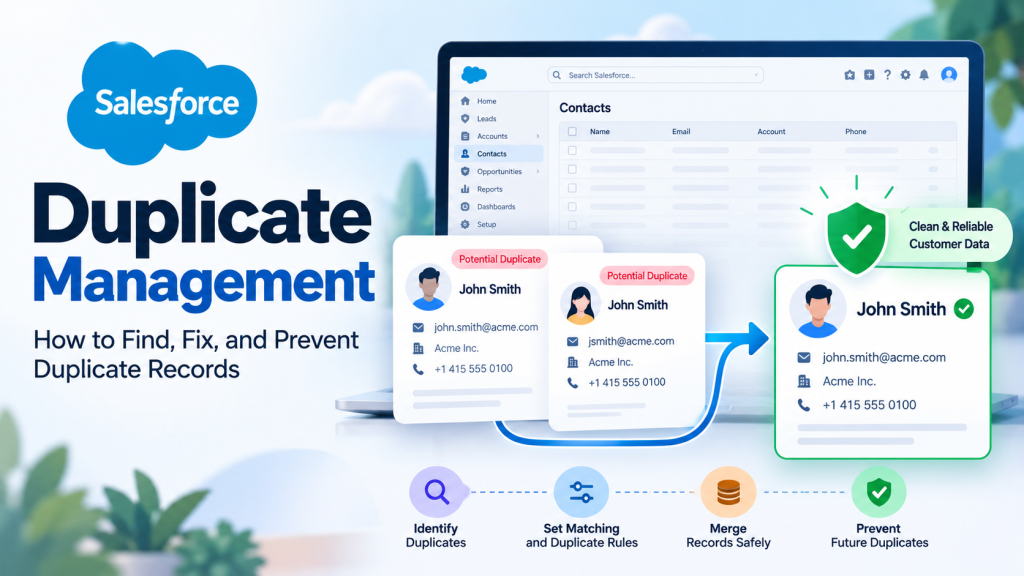
Two sales representatives contact the same customer without realizing they’re working from different CRM records. One record has the latest phone number, while another contains the customer’s recent purchase history.
Both records look legitimate. Neither tells the complete story.
This is the kind of problem Salesforce duplicate management helps businesses address. Duplicate leads, contacts, and accounts can create confusion, weaken reporting, and make customer interactions less consistent.
Salesforce provides built-in tools to identify potential duplicates, control how new records are created, and help teams merge existing records. Understanding these features is the first step toward maintaining reliable CRM information.
What Is Salesforce Duplicate Management?
Salesforce Duplicate Management is a built-in capability for identifying and handling records that may represent the same person or organization.
It primarily uses two types of rules:
Matching Rules
Matching rules determine which records Salesforce considers potential duplicates.
For example, a rule might compare contact names, email addresses, or other identifying fields. Salesforce supports exact matching and certain fuzzy matching methods, which help detect similar information even when values aren’t identical.
Duplicate Rules
Duplicate rules determine what happens when Salesforce identifies a possible duplicate.
Depending on their configuration, these rules can:
- Alert users about matching records.
- Allow users to continue creating a record.
- Block the creation or editing of potential duplicates.
- Support reporting on identified duplicate records.
The distinction matters. Matching rules identify possible duplicates, while duplicate rules control the response.
Salesforce provides standard matching and duplicate rules for accounts, contacts, leads, and person accounts where supported.
Organizations can also create custom rules to address specific data requirements.
How to Set Up Salesforce Duplicate Management Rules
Managing duplicates in Salesforce starts with understanding how records enter your CRM and which fields reliably identify customers.
For example, email addresses might work well for identifying certain contact duplicates. However, they may be less reliable when several people share a departmental email address.
Before creating custom rules, review Salesforce’s existing standard rules.
Step 1: Review Existing Matching Rules
Open Salesforce Setup and search for Matching Rules.
Review the available rules for leads, contacts, and accounts.
Check which fields are compared and whether the matching criteria reflect your business processes.
To create a custom rule, select New Rule, choose the relevant object, define matching criteria, and save and activate the rule.
Step 2: Configure Duplicate Rules
In Setup, search for Duplicate Rules.
Choose the relevant object and associate the duplicate rule with an active matching rule.
Salesforce allows administrators to configure actions for record creation and editing, including alerts or blocking behavior.
For most organizations, testing an alert-based approach before introducing strict blocking rules is a sensible starting point.
Step 3: Test Before Activation
Create sample records in a Salesforce sandbox and check how the rules respond.
Test situations such as:
- Two contacts using the same email address.
- Similar account names with different formatting.
- A lead matching an existing contact.
- Different customers sharing a common company phone number.
These tests help identify overly restrictive rules and situations where genuine duplicates might be missed.
[VERIFY: Confirm available features, permissions, and setup options for the organization’s Salesforce edition.]
How to Find and Merge Existing Duplicate Records
Preventing new duplicates is only part of the job. Existing CRM records also require attention.
Salesforce Lightning duplicate management provides tools for reviewing potential duplicates and merging supported records.
Identify Potential Duplicate Records
When the relevant duplicate rules are active, Salesforce can display potential duplicate alerts on supported record pages through the Potential Duplicates component.
Administrators can also use Duplicate Jobs to identify existing duplicates across supported objects, where that feature is available.
Salesforce documents Duplicate Jobs for Performance and Unlimited Editions.
Review Records Before Merging
Imagine a hypothetical Australian business with two contact records for the same customer.
One contains a current email address. The other includes important account activity and an updated phone number.
Deleting either record without review could remove valuable information.
Instead, an authorized user should compare the records and determine which information must be preserved.
Before merging, check record ownership, related activities, important field values, and any connected applications that reference Salesforce record IDs.
Merge Duplicate Records Carefully
For supported records and users with the necessary permissions, Salesforce provides merge functionality.
The general process involves:
- Opening the potential duplicate records.
- Reviewing the records and their field values.
- Selecting the appropriate record to retain.
- Choosing which supported values to keep.
- Confirming the merge.
Some related information may be reassociated with the surviving record, but behavior varies by object and relationship.
A merge can also affect external integrations that reference removed record IDs.
Never treat merging as a routine delete-and-replace operation. Review the consequences and test large cleanup activities before making changes in production.
How to Prevent Duplicate Records From Returning
A one-time cleanup won’t solve a recurring data-quality problem.
Duplicates can enter Salesforce through web forms, manual entry, spreadsheet imports, and integrations with external applications.
My recommendation is to focus on the source of duplicate data before investing significant effort in repeated cleanup.
Standardize Data Entry
Encourage consistent formatting for customer names, phone numbers, and company information.
Train users to search for an existing lead or contact before creating another record.
Review Imports and Integrations
When data moves between Salesforce and platforms such as NetSuite, different record identifiers and synchronization rules can create duplicate entries.
Use appropriate external IDs, field mapping, and upsert operations where supported.
For additional context, read How to Build a Scalable Integration Between Salesforce, NetSuite & Celigo.
Monitor Duplicate Activity
Review duplicate alerts, reports, and cleanup results regularly.
Check whether users repeatedly bypass warnings or whether particular integrations generate matching records.
Salesforce duplicate rules have documented exceptions and special behavior for certain import and API operations. They should not be treated as a complete substitute for integration-level validation.
Organizations working on SFDC duplicate management should establish clear ownership for data-quality monitoring and record-merging decisions.
Quick Takeaways
- Matching rules identify potential duplicate records; duplicate rules determine how Salesforce responds.
- Standard rules can be customized to reflect specific customer data requirements.
- Alerts and blocking controls should be tested before wider implementation.
- Existing duplicates require careful review before records are merged.
- Consistent data entry and integration-level controls help prevent recurring problems.
Frequently Asked Questions
Can Salesforce automatically prevent duplicate records?
Yes. Salesforce can identify potential duplicates using matching rules and prevent certain duplicate records from being saved through configured duplicate rules. However, detection depends on the matching criteria and supported operations. Some import, API, and other scenarios behave differently, so additional validation may be necessary.
What is the difference between matching rules and duplicate rules?
Matching rules define the criteria Salesforce uses to identify records that might represent the same person or organization. Duplicate rules determine the action taken when a match is found, such as displaying a warning, allowing the record, or blocking the operation.
Can duplicate records be merged in Salesforce Lightning?
Yes. Salesforce Lightning supports merging certain duplicate records, including supported leads, contacts, and accounts, provided users have appropriate permissions. Before merging, review field values, related information, and integration dependencies. Availability and behavior depend on the record type, configuration, and permissions.
Where to Start
Effective Salesforce duplicate management is not simply about deleting repeated records. It involves creating reliable matching criteria, preventing unnecessary duplicates, and establishing a consistent approach to maintaining customer information.
Start by reviewing your existing matching rules, identifying the sources of duplicate records, and testing appropriate prevention settings.
At Tech i-Vin Technologies, we help businesses improve Salesforce configurations, integrations, and automated workflows. If duplicate customer records are affecting your CRM processes or connected applications, our team can help assess your existing setup and explore practical improvements.
What’s your biggest challenge with duplicate Salesforce records: inconsistent customer information, repeated data imports, or duplicates created through integrations? Share your experience in the comments.