
SuiteScript 2.1 Migration Challenges: What NetSuite Teams Should Know
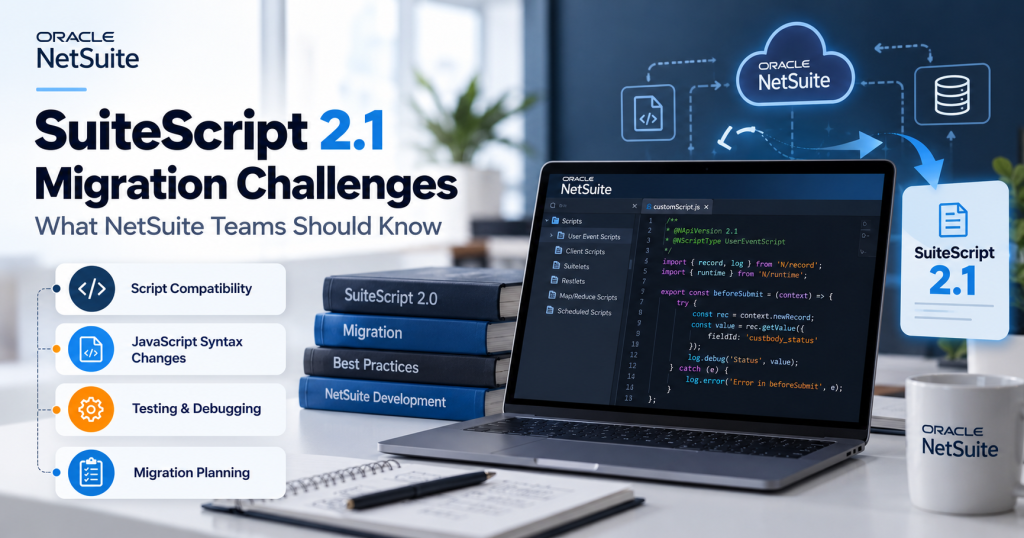
SuiteScript 2.1 migration challenges are rarely limited to a single syntax error. A customization can upload successfully yet behave differently at runtime, return an unexpected RESTlet response, or expose an undocumented dependency. Because Oracle is standardizing on SuiteScript 2.1, teams benefit from diagnosing these problems systematically rather than assuming every regression calls for a full rewrite.
This article addresses common failure modes and investigation steps. It is a troubleshooting companion to the separate step-by-step migration guide, not a substitute for account-specific testing or Oracle support guidance.
Why Migration Challenges Appear
Oracle explains that SuiteScript 2.1 uses a different runtime engine from 2.0. The SuiteScript API functionality is broadly the same, but JavaScript parsing and certain runtime behaviors differ. SuiteScript 1.0 adds a different challenge: legacy global APIs and entry points may require conversion into 2.x modules and script types.
Challenge 1: Syntax Errors During File Upload
What may happen
A developer adds arrow functions, const or other 2.1-specific syntax, yet NetSuite rejects a file that is still annotated with @NApiVersion 2.0 or 2.x.
Why it happens and what to check
Oracle validates source syntax against the declared @NApiVersion. Test runtime settings do not change which syntax is accepted during upload. Check the annotation and whether the team intended to retain 2.0-compatible source.
Practical approach
If the script is ready for 2.1, use the 2.1 version annotation and retest. If it must remain compatible with an earlier annotation temporarily, remove unsupported syntax. Treat a successful upload as only the first verification checkpoint.
Challenge 2: Runtime Version Is Not What the Team Expected
What may happen
A test preference is enabled, but an individual script still appears to run as 2.0, or a client script does not follow the server-script preference.
Why it happens and what to check
Oracle’s account-level options apply to eligible 2.0/2.x server scripts, not all scripts. Check the script type, its annotation and the script record’s Execute As Version setting.
Practical approach
Record the actual runtime for each test case. Explicit per-script settings and eligibility need to be reviewed before concluding that the account-level preference failed.
Challenge 3: Runtime Behavior Changes Without Obvious Syntax Changes
What may happen
Previously accepted data raises a parsing error, an error-handling branch produces different information, or a date/number is formatted unexpectedly.
Why it happens and what to check
Oracle documents differences involving invalid JSON, reserved words, strict mode, error properties, parseInt, date conversion and formatting. Examine inputs and outputs at the first divergence rather than rewriting entire modules.
Practical approach
Create a controlled reproduction using the same input and business context in both supported test configurations. Compare exact values and error paths; update code only where a documented difference or clearly reproduced defect explains the outcome.
Challenge 4: RESTlet or Integration Contract Changes
What may happen
A RESTlet executes, yet a connected warehouse, ecommerce or middleware system rejects its string or response payload.
Why it happens and what to check
Oracle lists RESTlet POST string and return-type differences among version-sensitive behaviors. Check request content type, response shape, serialization and downstream expectations. Also verify whether shared helpers transform the payload.
Practical approach
Compare saved request/response examples, use contract tests with the integration owner and check the receiving system’s logs. Avoid changing third-party interfaces without agreement, even if the NetSuite side appears technically valid.
Challenge 5: Shared Modules and Hidden Dependencies
What may happen
One shared utility is updated while several consuming scripts remain on different annotations or have undocumented assumptions. A low-visibility customization then fails during a business process that was not included in initial tests.
Why it happens and what to check
Code reuse reduces duplication but increases the number of execution paths that must be considered. Map references to custom modules, script parameters, libraries, record types and related workflows. Verify support for each module in its actual context.
Practical approach
Test the consumer set together and retain an owner for shared components. Use dependency-aware release groups rather than assuming one green unit test covers every deployment.
Challenge 6: Legacy SuiteScript 1.0 APIs Have No Direct Equivalent
What may happen
A 1.0 script uses global nlapi functions or entry points that do not translate through a mechanical find-and-replace.
Why it happens and what to check
SuiteScript 2.1 is modular. Oracle notes that some older APIs lack one-to-one equivalents and require a different implementation. Review script type, execution context, call sequences, dependencies and required output.
Practical approach
Use Oracle’s 1.0-to-2.1 mapping and conversion examples as the starting reference, then reproduce the workflow-level behavior in a supported 2.1 design. Escalate business-critical conversions when the original logic is undocumented.
Challenge 7: Debugging Workflows Are Different
What may happen
Developers follow older debugger instructions or expect the same troubleshooting UI they used for 2.0.
Why it happens and what to check
Oracle documents browser-based debugging for SuiteScript 2.1. Check that runbooks, access, and developer training reflect the current workflow.
Practical approach
Document a reproducible case with script/deployment identifiers, runtime version, relevant logs, representative inputs and expected results. Debug the smallest scenario that reproduces the issue.
Challenge 8: Production Validation Finds an Unexpected Difference
What may happen
A script passes a narrow sandbox test but a production-specific subsidiary, high-volume transaction, or third-party integration path behaves differently.
Why it happens and what to check
Test data, roles, permissions, schedules, and connected services may differ across environments. A deployment may also expose a path the pilot never exercised. Review test coverage and environment assumptions before attributing every incident to the language version.
Practical approach
Define release gates and monitoring for errors, key records, and downstream outcomes. Use approved change control and an environment-appropriate contingency plan; do not assume toggling one setting will reverse a script already explicitly annotated as 2.1.
A Practical Troubleshooting Decision Framework
Question | Evidence to capture | Next direction |
Does the file upload? | Annotation, syntax, validation message | Check language version compatibility |
Which runtime executed? | Script type, Execute As Version, account preference | Confirm actual execution context |
Which output changed? | Same input, old/new result, error details | Use Oracle differences documentation |
Who else consumes it? | Shared modules, RESTlet client, integration owner | Run dependency/contract tests |
Is business outcome correct? | Transaction or workflow acceptance evidence | Seek functional sign-off before release |
How to Reduce SuiteScript 2.1 Migration Risk
- Baseline a representative successful business flow and a failure/exception flow before modifying code.
- Separate upload-time syntax problems from runtime behavior differences and from external integration failures.
- Validate high-impact finance, order, and integration paths with business owners.
- Keep script annotations, runtime settings, and dependency ownership visible in test notes.
- Release interconnected changes in controlled groups with documented monitoring and contingency procedures.
When to Involve a NetSuite Technical Consultant
Escalate when a legacy customization has unclear owners, critical controls, unusual integrations, or reproducible version differences that cannot be explained by official documentation. A consultant should first produce a precise issue statement, impact assessment, test evidence, and remediation options—not a recommendation to rewrite everything.
Frequently Asked Questions
Can a script pass upload and still fail in SuiteScript 2.1?
Yes. Upload validation and runtime business correctness are different checks; Oracle explicitly describes runtime issues after version changes.
Will enabling the account-level 2.1 preference update every script?
No. Oracle limits these preferences to eligible server scripts and explains that explicit settings and unsupported contexts can affect runtime selection.
Does every SuiteScript migration challenge require new APIs?
No. For 2.0 to 2.1, API functionality is broadly the same. Runtime behavior, edge-case handling, and integrations may be the central issue; 1.0 conversions may require modular API changes.
Conclusion
SuiteScript 2.1 migration challenges are manageable when teams identify the failing stage, verify the actual runtime, reproduce the changed behavior and test its business impact. The most useful troubleshooting habit is to compare evidence rather than assume that every symptom shares the same cause.
Talk to Tech i-Vin Technologies: Facing repeated SuiteScript compatibility errors or difficult integrations? Our NetSuite specialists can isolate the issue, review dependencies, and recommend a tested remediation path designed around business continuity.