
Migrating Legacy Integrations to Celigo: 2026 Practical Guide
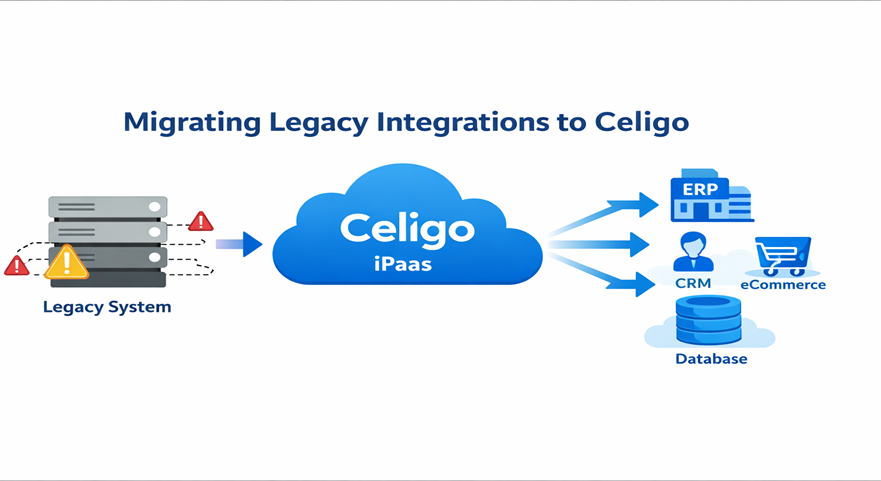
Legacy integrations often become fragile, slow, and expensive to maintain as businesses scale. Migrating Legacy Integrations to Celigo enables organizations to replace rigid, custom-built integrations with a modern, scalable, and automated integration platform. Celigo’s integration platform as a service (iPaaS) simplifies connectivity between ERP, CRM, eCommerce, and other business systems without heavy development.
Companies relying on outdated integrations face data synchronization delays, system crashes, and security risks. Migrating Legacy Integrations to Celigo helps eliminate these challenges by providing standardized integration frameworks, real-time data synchronization, and centralized integration management. This guide explains how to migrate effectively and ensure long-term integration success.
What Are Legacy Integrations and Why They Need Migration
Legacy integrations refer to older system connections built using custom scripts, outdated middleware, or manual processes. These integrations often lack flexibility, scalability, and proper monitoring.
Common issues with legacy integrations include:
- High maintenance and operational costs
- Limited scalability for business growth
- Frequent integration failures
- Poor visibility and monitoring
- Security and compliance risks
Platforms like Celigo integrator.io provide modern integration capabilities that eliminate these limitations. Migrating Legacy Integrations to Celigo allows organizations to move from fragile systems to stable, scalable, and automated integrations.
Why Businesses Choose Celigo for Integration Migration
Celigo is a leading iPaaS platform designed to connect cloud and on-premise systems efficiently. It provides prebuilt connectors, automation tools, and centralized monitoring.
Key benefits include:
Prebuilt Integration Templates
Celigo provides ready-made integration templates for popular platforms like NetSuite ERP, Salesforce, Shopify, and Amazon. This reduces development time significantly.
Scalability and Flexibility
Celigo supports business growth by handling increasing data volumes and complex workflows without performance issues. Migrating Legacy Integrations to Celigo ensures your integration infrastructure scales with your business.
Real-Time Data Synchronization
Celigo enables real-time or scheduled data synchronization, improving operational efficiency and decision-making.
Centralized Monitoring and Error Management
Celigo offers dashboards that allow IT teams to monitor integrations, detect errors, and resolve issues quickly.
Key Challenges in Legacy Integration Migration
Migrating integrations requires careful planning and execution. Common challenges include:
- Lack of documentation for legacy integrations
- Data inconsistencies and mapping issues
- Risk of data loss during migration
- Downtime during transition
- Integration compatibility issues
Using structured migration strategies and tools ensures Migrating Legacy Integrations to Celigo is smooth and risk-free.
Step-by-Step Process for Migrating Legacy Integrations to Celigo
Step 1: Assess Existing Integration Landscape
Start by identifying:
- Current integrations
- Connected systems
- Data flow and dependencies
- Integration frequency
This assessment helps plan the migration effectively.
Step 2: Define Integration Requirements
Clearly define:
- Integration objectives
- Automation requirements
- Data mapping needs
- Performance expectations
Proper planning ensures successful Migrating Legacy Integrations to Celigo.
Step 3: Choose Celigo Integration Templates or Custom Flows
Celigo provides prebuilt connectors via Celigo Integration Marketplace. Businesses can use templates or create custom integration flows based on requirements.
Benefits include:
- Faster implementation
- Reduced development cost
- Improved reliability
Step 4: Data Mapping and Transformation
Data mapping ensures proper data synchronization between systems. Celigo provides transformation tools that simplify this process.
Key considerations:
- Field mapping accuracy
- Data validation rules
- Data format compatibility
This step is critical for successful Migrating Legacy Integrations to Celigo.
Step 5: Testing and Validation
Testing ensures integrations function correctly before full deployment.
Testing should include:
- Functional testing
- Data accuracy testing
- Error handling testing
- Performance testing
Celigo’s monitoring tools help identify and resolve issues quickly.
Step 6: Deployment and Monitoring
After testing, deploy integrations in production and monitor performance continuously.
Celigo provides:
- Real-time monitoring dashboards
- Error alerts and notifications
- Integration performance insights
This ensures stable and reliable integration performance.
Best Practices for Successful Migration
Following best practices ensures smooth Migrating Legacy Integrations to Celigo:
- Document all legacy integrations
- Clean and validate data before migration
- Start with low-risk integrations first
- Use Celigo’s prebuilt connectors when possible
- Monitor integrations continuously
- Train IT teams on Celigo platform
These practices minimize risks and ensure long-term success.
Business Benefits After Migrating Legacy Integrations to Celigo
Organizations experience significant improvements after migration.
Improved Operational Efficiency
Automation reduces manual work and increases productivity.
Reduced Integration Maintenance Cost
Celigo eliminates the need for maintaining custom scripts.
Better Data Accuracy
Real-time synchronization improves data consistency.
Enhanced Scalability
Celigo supports business growth and increasing integration complexity.
Improved Visibility and Control
Celigo provides centralized integration monitoring and management.
These benefits demonstrate why Migrating Legacy Integrations to Celigo is essential for modern businesses.
Use Cases of Celigo Integration Migration
Common migration scenarios include:
- ERP to CRM integration migration
- eCommerce to ERP integration migration
- Legacy middleware replacement
- Custom script integration replacement
- Cloud application integration
Celigo simplifies complex integrations and improves business automation.
Why Celigo is the Future of Integration Platforms
Modern businesses require scalable, reliable, and automated integration platforms. Legacy integrations cannot support modern business needs.
Celigo offers:
- Cloud-native integration platform
- Prebuilt connectors and automation
- Advanced monitoring and error handling
- Scalable integration infrastructure
This makes Migrating Legacy Integrations to Celigo a strategic investment for digital transformation.
Conclusion
Legacy integrations limit scalability, efficiency, and business growth. Modern integration platforms like Celigo provide scalable, automated, and reliable integration solutions. Migrating Legacy Integrations to Celigo helps businesses reduce maintenance costs, improve data accuracy, and support digital transformation.
Organizations adopting Celigo gain faster integrations, improved automation, and long-term operational efficiency.
Transform Your Integrations with Tech i-vin Technology
If your business is struggling with outdated integrations, Tech i-vin Technology can help you successfully implement Migrating Legacy Integrations to Celigo with expert guidance, migration planning, and seamless integration deployment.
Tech i-vin Technology provides Celigo integration services, ERP integrations, and automation solutions tailored to your business needs. Contact Tech i-vin Technology today to modernize your integration infrastructure and accelerate business growth.