
NetSuite 2028.2: How to Prepare Your Custom Scripts
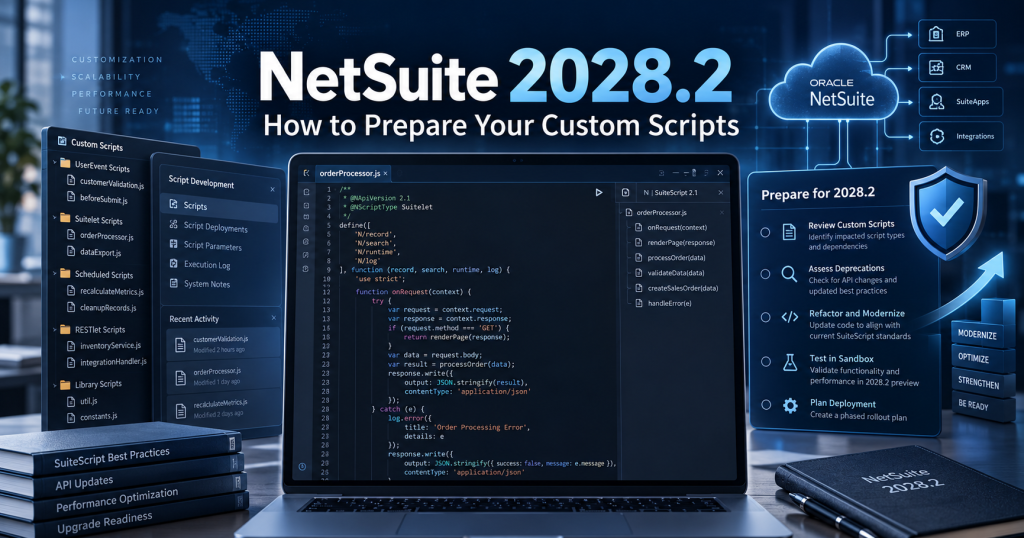
NetSuite 2028.2 is an important planning milestone for organizations whose daily operations rely on custom SuiteScript. Oracle’s published plan requires all new and existing scripts to use SuiteScript 2.1 by that release. The transition is not simply a task for one developer: a script may support invoicing, customer onboarding, inventory allocation, approvals, or an external application.
The strongest readiness approach is to identify what the business depends on, assign ownership and organize a staged decision process before release pressure builds. This guide focuses on management preparation rather than a line-by-line code conversion.
What Is Changing in NetSuite 2028.2?
Oracle’s roadmap moves SuiteScript 2.1 into the standard scripting role in 2026.2, gives SuiteScript 1.0 critical-issue-only support in 2027.1, changes deployment/runtime behavior in 2028.1, and requires 2.1 for all new and existing scripts by 2028.2. These are release milestones, not promises of a particular calendar deployment date for every customer.
Release milestone | Published direction |
2026.2 | SuiteScript 2.1 becomes standard |
2027.1 | 1.0 support moves to critical issues only |
2028.1 | New accounts cannot deploy 1.0; 2.0/2.x run as 2.1 by default |
2028.2 | All new and existing scripts must use 2.1 |
The readiness question for leadership is not “How many JavaScript files do we have?” but “Which business outcomes become vulnerable if a customization stops behaving as expected?”
Why This Matters Beyond the IT Department
Consider a distributor whose custom code selects carriers and shipping routes, or a manufacturing team whose quality-control steps depend on record updates. A script failure could mean delayed deliveries, poor visibility or manual rework. In finance, an approval script may protect segregation-of-duties controls and create an auditable decision trail.
These are illustrative scenarios, not claims about any customer environment. Their significance is that a technical script inventory must be connected to a business-process inventory. An owner can then decide what constitutes acceptable behavior after the transition.
Five Readiness Areas to Assess
1. Existing Scripts and Ownership
Ask administrators and developers for an account-wide view of legacy SuiteScript versions, deployment status, environments and named owners. The output should be a usable register, not a folder of anonymous files. Note whether each customization is active, business-critical, duplicated, vendor-managed or a candidate for retirement.
2. Business-Critical Operations
Link each important script or script family to the workflow it supports. Finance may care about transaction posting, tax-related custom logic and approval routing; operations about fulfillment or warehouse allocation; customer teams about integrations and notifications. Prioritize based on failure impact and use frequency, not file count alone.
3. Integrations and Dependency Ownership
Identify connections to ecommerce, middleware, banks, warehouses and customer systems. Ask who owns each external system and how contract-level acceptance will be checked. A NetSuite script may appear healthy while a downstream application rejects its changed response.
4. Testing and Business Acceptance
Agree what will count as a pass before the project begins. A developer can demonstrate a script ran; a process owner must verify that the correct invoice, approval, shipment or customer update resulted. Include realistic exception and peak-volume scenarios where relevant. Plan access to a suitable sandbox and representative test data.
5. People, Vendors and Governance
Assign a sponsor, NetSuite administrator, technical lead, business-process owners and external-vendor contacts. Decide who approves scope changes, communicates releases and resolves priority conflicts. Where third-party scripts or SuiteApps are involved, confirm support responsibilities with the vendor rather than presuming an internal developer can edit them.
Build a NetSuite 2028.2 Readiness Plan
Phase A: Discover and Classify
Deliverables: a version-aware script inventory, business-process mapping, known integration owners and an agreed criticality ranking. Make unknown ownership visible so it does not disappear into a general technical backlog.
Phase B: Assess and Scope
Deliverables: high-level work estimates, named testing responsibilities, release constraints and a list of customizations to convert, test, replace or retire. Technical feasibility should inform the plan, but project sponsorship should be based on business value and risk.
Phase C: Validate and Release in Waves
Deliverables: approved test evidence, business sign-offs, controlled change windows, a communications plan and documented post-release checks. Keep tightly connected automations in coordinated release groups while allowing low-risk components to be validated earlier.
Phase D: Operate and Maintain
Deliverables: updated ownership records, operational monitoring responsibilities, a record of remaining risks and a policy for building new scripts in the supported version. Readiness is incomplete if the organization recreates an avoidable legacy backlog after a migration wave.
Illustrative Readiness Scorecard
Decision area | Useful evidence | Accountable role |
Inventory | Version, owner, deployment and business process documented | NetSuite administrator |
Business impact | Critical workflows identified and ranked | Functional owner |
Dependencies | Connected systems and support teams named | IT/integration lead |
Validation | Acceptance cases and representative test data available | QA + process owner |
Release | Wave plan, approvals and contingency documented | Project sponsor + technical lead |
A scorecard turns a vague “migration is in progress” update into concrete evidence leadership can review. These are recommended project controls, not official Oracle certification criteria.
NetSuite 2028.2 Readiness Checklist
- Confirm Oracle’s current release guidance and internal support commitments.
- Identify custom scripts and their current version annotations.
- Map critical scripts to business workflows and accountable owners.
- Identify shared dependencies, vendors and external integrations.
- Agree which customizations need testing, updating, replacement or retirement.
- Allocate sandbox/test data, technical capacity and business testers.
- Create milestone-based release waves and approval checkpoints.
- Define production validation, monitoring and continuity arrangements.
Why Preparing Early Reduces Risk
Early planning creates room for discovery, controlled testing and shared learning. Waiting until the last stage can combine unknown dependencies, competing business priorities and reduced options for scheduling changes. This does not mean every organization needs the same project length or budget: a small account may have few customizations, while a heavily integrated multi-subsidiary environment may need coordination over several releases.
The most useful first meeting is often between the NetSuite owner, a technical lead and one representative from each critical business function. Their first output should be a dependency-aware shortlist of operationally important customizations, not a speculative deadline for finishing every file.
Frequently Asked Questions
Does NetSuite 2028.2 introduce SuiteScript 2.1 for the first time?
No. SuiteScript 2.1 predates that release; Oracle’s plan names 2028.2 as the milestone requiring 2.1 for all new and existing scripts.
Should all scripts receive the same priority?
No. Prioritize by operational impact, interdependencies and the ability to verify outcomes. Inactive or duplicated scripts may be appropriate retirement candidates.
Who should sign off?
The responsible business process owner should accept functional outcomes, supported by technical evidence and an agreed change-management process.
Conclusion
Preparing for NetSuite 2028.2 requires visibility, governance and a realistic validation plan. An early script inventory is only the beginning; the real objective is continuity of critical operations as the platform standard changes. For detailed code conversion, refer to the SuiteScript 2.1 migration guide in this series.
Talk to Tech i-Vin Technologies: Our NetSuite team can facilitate a readiness assessment, map customizations to business processes and create a phased plan with measurable sign-offs before the 2028.2 milestone.