
Salesforce Apex Basics: A Beginner-Friendly Guide for 2026
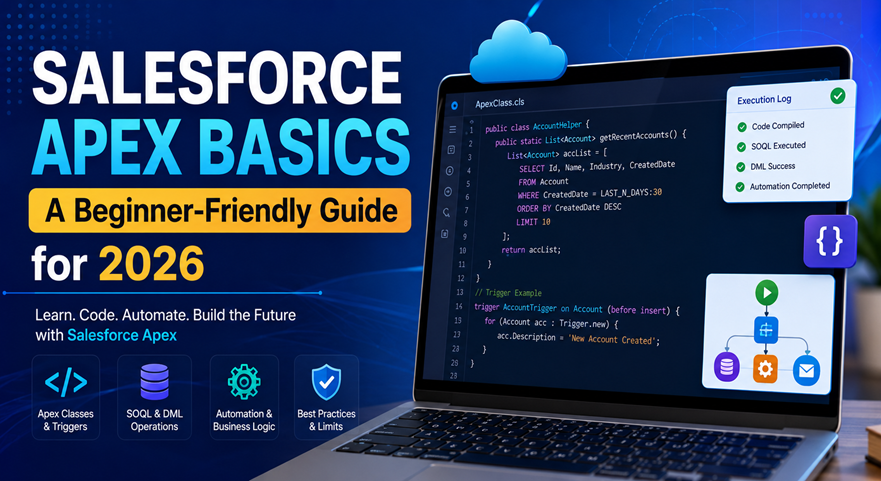
Salesforce development continues to evolve, but understanding Salesforce Apex Basics remains one of the most important skills for anyone starting a Salesforce development career. Apex is Salesforce’s proprietary programming language that enables developers to create custom business logic, automate processes, integrate external systems, and extend platform functionality beyond standard configurations.
For beginners entering the Salesforce ecosystem, learning Salesforce Apex Basics provides the foundation needed to build scalable applications, customize workflows, and support complex business requirements. This guide explains key concepts, coding structures, best practices, and essential knowledge needed to master Salesforce Apex Basics in 2026.
What is Apex in Salesforce?
Apex is a strongly typed, object-oriented programming language developed by Salesforce. It allows developers to execute flow and transaction control statements directly on Salesforce servers.
Unlike traditional programming languages, Apex is specifically designed to work within the Salesforce platform, making it easier to access data, automate operations, and enforce business rules.
Key capabilities include:
- Custom business logic
- Database operations
- API integrations
- Automated workflows
- Trigger execution
- Batch processing
- Scheduled jobs
Understanding Salesforce Apex Basics helps developers create solutions that go beyond standard point-and-click customization.
For official documentation, refer to the Salesforce Apex Developer Guide.
Why Learn Salesforce Apex Basics in 2026?
Organizations increasingly require customized CRM solutions that standard configurations cannot always provide.
Learning Salesforce Apex Basics offers several benefits:
Career Growth Opportunities
- High demand for Salesforce Developers
- Better salary prospects
- Opportunities in consulting firms
- Enterprise project involvement
Advanced Platform Customization
With Salesforce Apex Basics, developers can:
- Create custom validations
- Automate processes
- Build integrations
- Handle complex calculations
- Develop reusable components
Improved Business Automation
Companies use Apex to automate tasks that would otherwise require manual intervention, improving productivity and accuracy.
Core Concepts of Salesforce Apex Basics
Apex Classes
Classes are the building blocks of Apex development.
Example:
public class AccountHelper {
public static void displayMessage() {
System.debug(‘Hello Salesforce’);
}
}
When learning Salesforce Apex Basics, understanding classes is essential because they organize business logic into reusable components.
Apex Objects
Apex supports object-oriented programming concepts including:
- Classes
- Objects
- Encapsulation
- Inheritance
- Polymorphism
These concepts make code easier to maintain and scale.
Variables and Data Types
Common data types include:
- String
- Integer
- Decimal
- Boolean
- Date
- Datetime
- List
- Set
- Map
Example:
String companyName = ‘Tech i-vin’;
Integer employeeCount = 100;
Mastering variables is an important part of Salesforce Apex Basics.
Understanding SOQL in Apex
Salesforce data retrieval uses Salesforce Object Query Language (SOQL).
Example:
List<Account> accounts =
[SELECT Id, Name FROM Account];
SOQL enables developers to:
- Retrieve records
- Filter data
- Sort results
- Access related objects
Knowledge of SOQL is a fundamental requirement when studying Salesforce Apex Basics.
Official Resource: SOQL and SOSL Reference
What Are Apex Triggers?
Triggers execute automatically when records are inserted, updated, deleted, or restored.
Example:
trigger AccountTrigger on Account(before insert) {
for(Account acc : Trigger.new){
acc.Description = ‘New Account’;
}
}
Triggers are among the most commonly used concepts in Salesforce Apex Basics because they automate record-level actions.
Common Trigger Events
- Before Insert
- After Insert
- Before Update
- After Update
- Before Delete
- After Delete
Exception Handling in Apex
Errors can occur during execution. Apex uses try-catch blocks for handling exceptions.
Example:
try{
Integer result = 10/0;
}
catch(Exception e){
System.debug(e.getMessage());
}
Exception handling improves application reliability and is a critical part of Salesforce Apex Basics.
Apex Governor Limits Explained
Salesforce operates in a multi-tenant environment. To ensure fair resource allocation, governor limits are enforced.
Examples include:
- SOQL query limits
- DML operation limits
- CPU execution limits
- Heap size limits
When learning Salesforce Apex Basics, understanding governor limits helps developers write efficient code.
Official Resource: Salesforce Governor Limits
Best Practices for Salesforce Apex Basics
1.Avoid SOQL Inside Loops
Bad practice:
for(Account acc : accounts){
[SELECT Id FROM Contact];
}
Good practice:
List<Contact> contacts =
[SELECT Id FROM Contact];
2.BulkifyCode
Always design Apex to handle multiple records.
3.Use Collections
Efficient use of:
- Lists
- Sets
- Maps
improves performance.
4.Write Test Classes
Salesforce requires at least 75% code coverage for deployment.
5.Follow Naming Standards
Consistent naming improves maintainability.
These practices strengthen your understanding of Salesforce Apex Basics and prepare you for real-world projects.
Salesforce Apex Basics for Integration Projects
Many organizations connect Salesforce with:
- ERP systems
- E-commerce platforms
- Payment gateways
- Marketing tools
Apex supports:
- REST APIs
- SOAP APIs
- HTTP Callouts
- External Data Integration
Learning Salesforce Apex Basics helps developers build reliable integrations that support business growth.
Common Beginner Mistakes to Avoid
When studying Salesforce Apex Basics, avoid:
- Hardcoding IDs
- Ignoring governor limits
- Writing queries inside loops
- Skipping test classes
- Poor exception handling
- Not using bulk processing
Avoiding these mistakes results in cleaner and more scalable applications.
Future of Apex Development in 2026
Although Salesforce continues expanding low-code and no-code capabilities, Apex remains essential for advanced customizations.
Future trends include:
- AI-driven Salesforce applications
- Advanced integrations
- Hyperautomation projects
- Scalable enterprise solutions
- Intelligent CRM development
Professionals with strong Salesforce Apex Basics knowledge will remain valuable as organizations continue expanding their Salesforce ecosystems.
Official Salesforce Documentation
To understand Apex architecture in detail, developers should explore the Salesforce Apex Developer Guide. The guide covers classes, triggers, exception handling, testing frameworks, and deployment best practices.
Understanding SOQL Queries
Learning Salesforce Apex Basics is incomplete without mastering SOQL. Salesforce provides comprehensive documentation through the SOQL and SOSL Reference, which explains query syntax, filtering, relationship queries, and optimization techniques.
Governor Limits and Performance
Every developer learning Salesforce Apex Basics should understand platform limitations. The official Salesforce Governor Limits documentation helps developers write efficient and scalable code while avoiding runtime errors.
Hands-On Learning Resources
Beginners can practice Salesforce Apex Basics through the Salesforce Trailhead Apex Basics learning path, which includes interactive modules, coding challenges, and real-world development exercises.
Conclusion
Understanding Salesforce Apex Basics is the first step toward becoming a successful Salesforce developer. From classes and triggers to SOQL queries and governor limits, mastering Salesforce Apex Basics enables developers to build efficient, scalable, and secure Salesforce applications.
As Salesforce adoption continues to grow in 2026, organizations need skilled developers who understand Salesforce Apex Basics and can create customized solutions that drive business success.
Accelerate Your Salesforce Development Journey
Looking to implement, customize, or optimize your Salesforce environment? The experts at Tech i-vin Technology help businesses leverage Salesforce development, Apex customization, automation, integrations, and CRM optimization to achieve greater efficiency and growth.
Contact Tech i-vin Technology today to transform your Salesforce platform into a powerful business solution.