
NetSuite SuiteAnalytics Deep Dive: Build Better Dashboards & Data Models
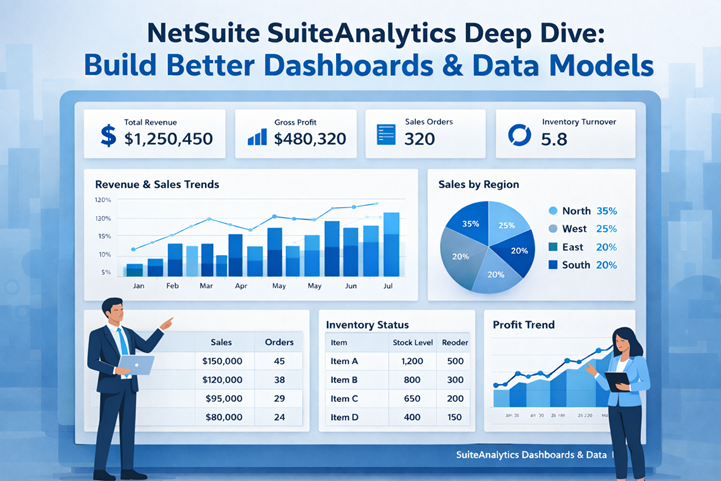
In enterprise systems, reporting quality directly impacts business decisions. NetSuite SuiteAnalytics is designed to help organizations transform raw ERP data into meaningful insights through interactive dashboards, advanced analytics workbooks, and flexible data models. This deep dive explains how NetSuite SuiteAnalytics enables finance, operations, and leadership teams to analyze performance faster, visualize trends clearly, and scale reporting without external BI tools.
This blog explores dashboard design best practices, data modeling concepts, and real-world use cases of NetSuite SuiteAnalytics, helping businesses unlock the full value of their ERP data.
What Is NetSuite SuiteAnalytics?
NetSuite SuiteAnalytics is the native analytics and reporting framework within Oracle NetSuite. It allows users to analyze real-time ERP data using saved searches, KPIs, SuiteAnalytics Workbooks, and custom dashboards.
Unlike traditional static reports, NetSuite SuiteAnalytics provides:
- Live data access without data duplication
- Role-based dashboards
- Interactive visualizations
- Scalable data models across subsidiaries and business units
Authoritative overview of analytics capabilities can be referenced from Oracle NetSuite documentation on analytics and reporting.
Key Components of NetSuite SuiteAnalytics
1.SuiteAnalyticsWorkbooks
SuiteAnalytics Workbooks are the foundation of NetSuite SuiteAnalytics. They allow users to:
- Combine multiple datasets
- Create pivot-style analysis
- Build charts, tables, and KPI visualizations
- Apply filters without technical complexity
Workbooks make NetSuite SuiteAnalytics suitable for both business users and analysts.
2.KPIs & Scorecards
KPIs provide at-a-glance visibility into performance metrics such as:
- Revenue growth
- Gross margin
- Cash flow
- Inventory turnover
With NetSuite SuiteAnalytics, KPI scorecards update in real time, ensuring leadership always sees current performance.
Building Better Dashboards with NetSuite SuiteAnalytics
Dashboard Design Best Practices
To maximize value from NetSuite SuiteAnalytics, dashboards should be:
- Focused on role-specific insights
- Limited to actionable KPIs
- Visually consistent and mobile-friendly
Effective dashboards typically include:
- KPI scorecards
- Trend charts
- Exception reports
- Drill-down tables
NetSuite SuiteAnalytics allows dashboards to be customized per role, ensuring finance, sales, and operations teams see only what matters to them.
Role-Based Analytics
One major strength of NetSuite SuiteAnalytics is role-based access:
- CFO dashboards for financial KPIs
- Sales dashboards for pipeline and forecasts
- Operations dashboards for inventory and fulfillment
This ensures data security while improving usability across departments.
Data Modeling in NetSuite SuiteAnalytics
Understanding Data Sets
Data modeling in NetSuite SuiteAnalytics starts with datasets. These datasets define:
- Which records are included
- How fields are joined
- What filters apply
Well-structured datasets improve performance and reporting accuracy.
Joins & Relationships
NetSuite SuiteAnalytics supports joins across:
- Transactions
- Customers
- Items
- Subsidiaries
Proper joins ensure consistent reporting across financial and operational data, especially for multi-subsidiary businesses.
Performance Optimization
Best practices for scalable data models include:
- Avoiding unnecessary fields
- Using indexed fields
- Applying filters at dataset level
These practices help NetSuite SuiteAnalytics dashboards load faster and remain responsive on mobile devices.
Advanced Use Cases of NetSuite SuiteAnalytics
Financial Performance Analysis
Finance teams use NetSuite SuiteAnalytics for:
- Profitability analysis
- Budget vs actual reporting
- Cash flow forecasting
Operational Intelligence
Operations teams leverage NetSuite SuiteAnalytics to monitor:
- Inventory aging
- Order fulfillment cycles
- Vendor performance
Executive Reporting
Executives rely on NetSuite SuiteAnalytics dashboards for:
- Strategic decision-making
- Trend analysis
- High-level KPI monitoring
External validation of ERP analytics importance can be found in reports published by Gartner and Forrester on ERP intelligence platforms.
Why NetSuite SuiteAnalytics Matters for Growing Businesses
As organizations scale, reporting complexity increases. NetSuite SuiteAnalytics eliminates dependency on third-party BI tools by offering:
- Real-time ERP analytics
- Unified data models
- Secure, role-based dashboards
By using NetSuite SuiteAnalytics, businesses gain faster insights, improved visibility, and stronger data governance.
Conclusion
NetSuite SuiteAnalytics is more than a reporting tool—it is a strategic analytics platform built directly into the ERP. With powerful dashboards, flexible data models, and real-time insights, NetSuite SuiteAnalytics enables organizations to make informed decisions with confidence.
For businesses looking to design advanced dashboards, optimize data models, and unlock actionable insights from NetSuite, Tech i-vin Technology provides expert consulting, customization, and analytics implementation services tailored to enterprise needs.